
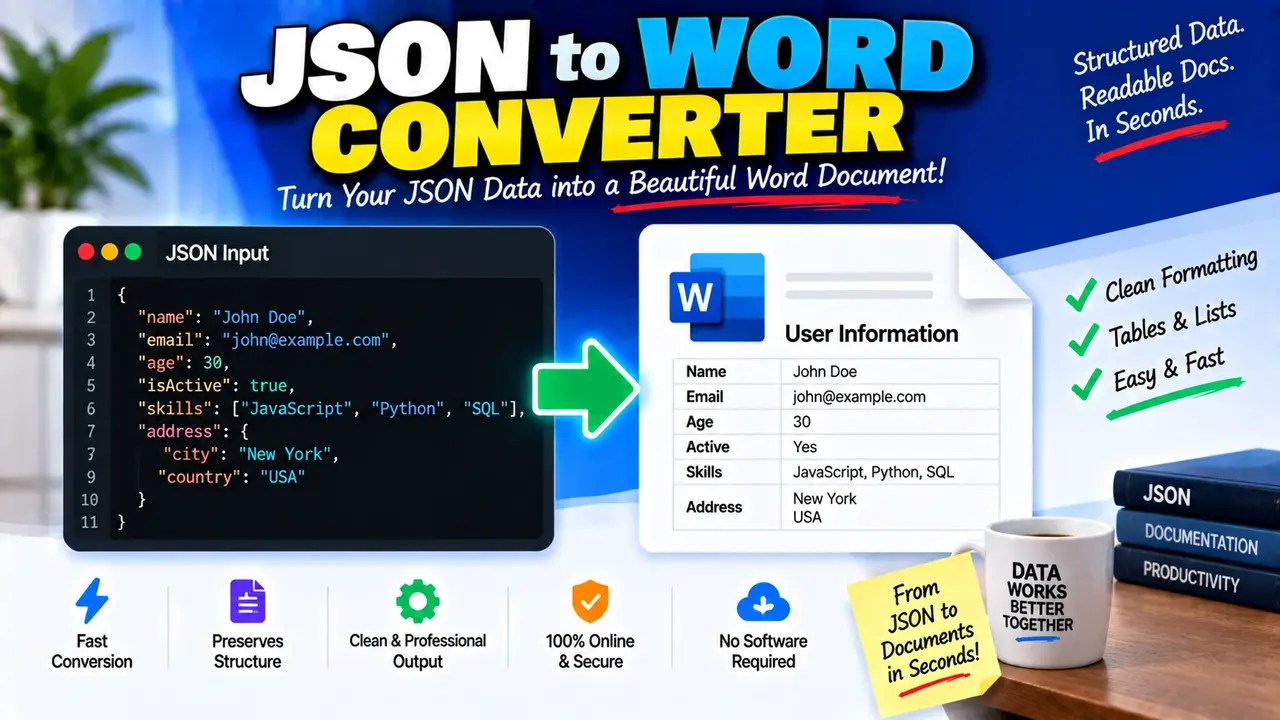
Free Json To Word Converter Online
Quick answer: Free Json To Word Converter Online is a web-based conversion utility intended to transform JSON (JavaScript Object Notation) data into a Microsoft Word-compatible document. It is useful for turning structured data into readable documentation, reports, records, and reference material.
JSON stores information as objects, arrays, strings, numbers, Boolean values, and null values. Although this structure works well for APIs, configuration files, and application data, raw JSON can be difficult to read in a document intended for nontechnical readers. Converting JSON into a Word document can make that information easier to review, share, print, and incorporate into reports.
The Free Json To Word Converter Online page is designed around this conversion use case. Its supplied Open Graph image identifies it as a JSON-to-Word conversion tool. The exact input controls, conversion settings, supported export formats, and processing architecture have not been independently established, so those implementation-specific capabilities should be confirmed against the live tool before being documented as guaranteed features.
What Can JSON-to-Word Conversion Be Used For?
- API documentation: Present example request and response payloads in a document for developers, testers, and project stakeholders.
- Business reports: Turn structured records into material that can be incorporated into Word-based reports.
- Configuration documentation: Make application settings easier to inspect and explain to team members.
- Data review: Prepare JSON records for manual review, annotation, printing, or sharing.
- Technical handover: Include structured data examples in project specifications and implementation notes.
How to Use Free Json To Word Converter Online?
The following workflow describes the standard process for a JSON-to-Word converter. The precise controls may differ in the live implementation.
- Prepare valid JSON. Copy the JSON object or array you want to convert. Check that property names and string values use double quotation marks and that commas and brackets are correctly placed.
- Enter the source data. Paste the JSON into the converter's input area, or use its file-selection option if the live tool provides one.
- Run the conversion. Use the available conversion action to transform the structured input into a document-oriented representation.
- Review the result. If document preview, copying, or downloading is provided, inspect the output to confirm that important fields, nested values, and arrays are represented correctly.
JSON Input and Word Document Output
JSON is a structured data format, while a Word document is designed for formatted document content. The conversion therefore involves representing JSON values in a form suitable for reading in a document. Depending on the converter's implementation, that representation may use paragraphs, headings, tables, or formatted text. The exact layout should not be assumed without checking the generated output.
Consider this example JSON input:
{
  "report": {
    "title": "Quarterly Sales Summary",
    "quarter": "Q3",
    "year": 2026
  },
  "department": "Sales",
  "metrics": {
    "orders": 1250,
    "revenue": 87500.50,
    "target_met": true
  },
  "notes": null
}
A readable document could represent the same information as follows:
Quarterly Sales Summary

Report
Title: Quarterly Sales Summary
Quarter: Q3
Year: 2026

Department
Sales

Metrics
Orders: 1250
Revenue: 87500.50
Target Met: true

Notes: null
This is an illustrative document representation, not a claim about the converter's exact output template. A different implementation might preserve the JSON hierarchy in a table, retain the original JSON as a code block, or use another layout.
JSON Value-to-Document Reference Table
Understanding JSON value types helps users check whether a converted document preserves the meaning of the original data.
| JSON element | Example | Document representation | Review consideration |
|---|---|---|---|
| Object | {"name":"Maya"} |
A group of related fields or a nested section | Check that property names remain associated with their values. |
| Array | ["red","blue"] |
A list, sequence, or repeated set of entries | Check item order and ensure no entries are omitted. |
| String | "approved" |
Readable text | Check punctuation, Unicode characters, and long text values. |
| Number | 87500.50 |
A numeric value shown as text or a table cell | Confirm decimal precision and avoid unintended rounding. |
| Boolean | true |
A textual true/false value or a descriptive label | Check that the value is not confused with a string. |
| Null | null |
An explicit null marker, blank field, or another representation | Verify how missing or null information is displayed. |
How JSON-to-Word Conversion Works
At a conceptual level, the conversion process has three stages:
- Parse the JSON. A JSON parser interprets the input according to JSON syntax and identifies objects, arrays, and primitive values.
- Represent the data. The converter maps the parsed structure to document elements or another intermediate representation appropriate for Word output.
- Produce the document. The implementation generates a Word-compatible result, if that export format is supported by the live tool.
JSON syntax and data types are defined by the JSON specification, RFC 8259, published by the Internet Engineering Task Force. The specification is useful when preparing or troubleshooting input: RFC 8259: The JavaScript Object Notation (JSON) Data Interchange Format.
Important Edge Cases and Limitations
- Malformed JSON: Missing commas, unmatched brackets, single-quoted strings, and trailing commas can make input invalid under standard JSON syntax. Correct the source before conversion if the tool reports an error.
- Nested objects: Deeply nested data may require indentation, headings, or nested tables to remain understandable. Inspect the output rather than assuming every level will be displayed optimally.
- Large arrays: Arrays containing many records can create long documents. Check whether all records appear and whether the result remains practical to navigate.
- Null and missing fields: A property explicitly set to null is not the same as a property that is absent. Review the document to ensure this distinction is not lost when it matters.
- Numeric precision: Financial values, identifiers, and decimal measurements may need to retain their original textual representation. Check leading zeros, long numbers, and decimal places.
- Special characters: Unicode text, quotation marks, backslashes, and escaped newline characters should be reviewed in the output, especially when the document will be used as technical evidence.
- Document formatting: Successful conversion does not necessarily guarantee that the resulting layout is suitable for printing or formal publication. Review page breaks, table widths, headings, and long field values.
Supported Data and Verification Notes
Standard JSON can contain objects, arrays, strings, numbers, Boolean values, and null values. These are properties of the input format, not a verified list of every feature supported by this particular converter.
- Input syntax: Standard JSON, subject to the live converter's actual validation rules.
- Output purpose: A Word-oriented document representation, as indicated by the tool name.
- File upload: Availability of direct JSON file upload has not been confirmed.
- Export extension: The precise Word file extension and download behavior have not been confirmed.
- Processing and privacy: Whether conversion occurs in the browser or on a remote server has not been established. Do not submit confidential or personal data until the site's privacy and processing practices are understood.
Frequently Asked Questions
Can JSON data be converted into a Word document? Yes. JSON data can be represented in a Word-compatible document by parsing its structure and presenting fields and values as readable content. The available download format depends on the converter's implementation.
Does JSON have to be valid before conversion? Standard JSON syntax should be valid for a parser to interpret the input reliably. Check quotation marks, commas, brackets, braces, and the use of supported JSON values before conversion.
Will nested objects and arrays retain their structure? They can be represented using headings, lists, tables, or indentation. The exact treatment of nested data depends on the converter, so compare the generated document with the source JSON.
Does conversion change JSON values? A faithful conversion should preserve the meaning of the source data, but document formatting may change how values appear. Pay particular attention to decimal precision, null values, array order, and long identifiers.
Is it safe to convert confidential JSON online? Safety depends on how the website processes, transmits, and stores input. Because this tool's processing architecture has not been verified, review its privacy policy before submitting sensitive information.
Can the output be used as formal documentation? It can be a starting point for documentation, but the final document should be reviewed for completeness, formatting, correct field labels, and suitability for its intended audience.
Author
Author Name: ToolHox Technical Content Team
Author Description: Technical content team covering web utilities, structured data formats, document conversion, and practical software workflows.
Technical Review: This content explains standard JSON syntax and the considerations involved in presenting structured JSON data in a Word-oriented document. Tool-specific features, generated file formats, and processing behavior should be confirmed against the live implementation.
