Json To Python Dataclass Generator
Convert JSON to Python dataclasses instantly. Free online JSON to dataclass, Pydantic, TypedDict, and attrs generator that runs entirely in your browser.
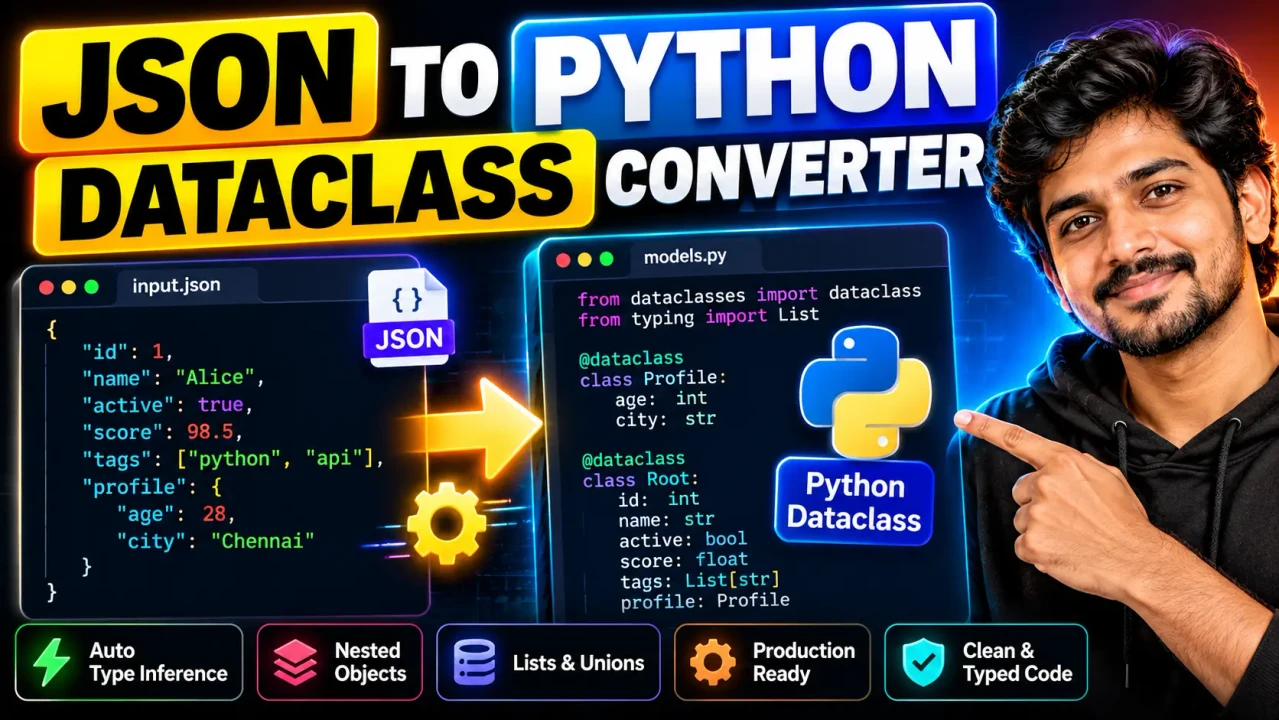
JSON to Python Dataclass Converter
TL;DR Summary
JSON to Python Dataclass Converter is a developer utility that helps turn JSON object data into a Python dataclass-style definition, making structured JSON easier to represent in Python code. The supplied tool information does not confirm how data is processed or stored, so avoid entering sensitive data unless the page clearly explains its data-handling behavior.
What Is the JSON to Python Dataclass Converter?
The JSON to Python Dataclass Converter is designed for developers who need to move from JSON data to a Python data model. JSON is widely used for APIs, configuration files, application data, and communication between software systems. Python dataclasses provide a structured way to represent related fields as Python objects.
Writing a dataclass by hand from a JSON example can be repetitive, especially when an object contains many fields or several levels of nested objects. A JSON to Python Dataclass Converter reduces that manual work by using the structure of the supplied JSON as the basis for a Python dataclass representation.
This type of tool can be useful when working with API responses, sample JSON payloads, configuration data, test fixtures, or other structured JSON. It is also useful when learning how a JSON object can be represented using Python type definitions.
What You Enter
The primary input is JSON data. The JSON should be valid JSON syntax and normally contain an object structure that can be represented as Python fields. A simple example is:
{
  "name": "Alice",
  "age": 30
}
Nested JSON can also be represented conceptually as nested Python data structures. For example, a JSON object containing an address object has more structure than a flat object, so the resulting dataclass representation needs to account for that nested relationship.
The exact options, controls, formatting choices, naming rules, and supported advanced JSON structures are not specified in the supplied tool context. Those details should therefore be confirmed from the live converter interface rather than assumed.
What You Get
The expected output is Python dataclass code based on the structure of the JSON input. A simple JSON object such as the example above can be represented using Python's dataclasses module with fields corresponding to the JSON properties.
from dataclasses import dataclass

@dataclass
class Root:
    name: str
    age: int
This example illustrates the standard representation, rather than a claim about the converter's exact generated formatting. The actual tool may use different class names, field ordering, import formatting, type syntax, or handling for complex JSON structures.
How to Use the JSON to Python Dataclass Converter
- Step 1: Prepare a valid JSON object that represents the data structure you want to model in Python.
- Step 2: Paste the JSON into the converter's input area.
- Step 3: Review the generated Python dataclass representation and check that its field names and types match the JSON structure.
- Step 4: Copy the generated Python code into your project or development environment.
- Step 5: Test the generated code against the JSON data you actually plan to use, especially when the input contains nested objects, arrays, optional fields, or inconsistent value types.
How the Conversion Works
This is a format-conversion task rather than a mathematical calculation. The standard approach is to parse the JSON structure, identify object properties, infer or map suitable Python types from the JSON values, and express those properties as dataclass fields.
Common JSON-to-Python type mappings include:
| JSON value | Typical Python type | Example |
|---|---|---|
| String | str | "Alice" → str |
| Number without a fractional part | int | 30 → int |
| Number with a fractional part | float | 19.5 → float |
| Boolean | bool | true → bool |
| Null | Often an optional or nullable type | null → nullable field |
| Array | Often list-based | [1, 2, 3] → list |
| Object | Often another dataclass | {"city": "Boston"} → nested structure |
These mappings describe the standard relationship between JSON data types and Python types. They are not a guarantee of the converter's hidden implementation. In particular, type inference can become more difficult when an array contains mixed values, when a property contains both null and non-null values, or when different records use different types for the same property.
Example: Simple JSON Object
Consider this JSON:
{
  "product": "Keyboard",
  "quantity": 2,
  "price": 49.99,
  "available": true
}
A conventional Python dataclass representation could be:
from dataclasses import dataclass

@dataclass
class Product:
    product: str
    quantity: int
    price: float
    available: bool
The important point is that each JSON property becomes a field, while the JSON value provides a basis for choosing a Python type. The generated code should still be reviewed before it is used in production software.
Nested JSON and More Complex Data
Nested JSON requires additional care. An object may contain another object, while an array may contain objects or primitive values. A converter may represent nested objects with additional dataclasses and arrays with list-based type annotations. However, the exact treatment depends on the converter's implementation and the structure of the supplied JSON.
For example, this structure contains an object inside another object:
{
  "name": "Alice",
  "address": {
    "city": "Boston",
    "zip": "02108"
  }
}
A suitable Python model could contain separate dataclasses for the main object and its address. The ZIP code is shown as a string because values such as ZIP codes can contain leading zeros. This illustrates why automatically inferred types should be reviewed based on the meaning of the data, not only its appearance.
Common Uses
- Creating Python models from API response examples.
- Turning JSON test data into reusable Python structures.
- Creating a starting point for configuration models.
- Reducing repetitive dataclass boilerplate.
- Learning how JSON structures map to Python types.
- Preparing generated code for further manual refinement.
Assumptions and Limitations
The converter should be treated as a code-generation aid, not as a replacement for reviewing the generated Python. The supplied information identifies the tool as a JSON to Python Dataclass Converter but does not document its exact parsing rules, type-inference algorithm, treatment of duplicate or inconsistent fields, naming conventions, nested-object strategy, array handling, optional-field rules, or formatting options. These details should not be assumed.
JSON itself does not contain Python type annotations. A converter must therefore infer or choose Python representations from JSON values. That means the generated type may not always reflect the business meaning of a field. A numeric-looking identifier, for example, may be better represented as a string if leading zeros or exact text formatting matter.
Users should also check generated field names against Python naming conventions and their project's requirements. JSON property names may contain characters or naming patterns that require adaptation before they become convenient Python attributes.
When JSON contains optional properties, null values, mixed arrays, or inconsistent structures, review the generated model carefully. If the JSON is part of a production API contract, validate the resulting dataclasses against the actual API behavior and project requirements.
Do not use generated code without review simply because it parses successfully. The converter can provide a useful starting structure, but application-specific validation, serialization behavior, type requirements, and error handling remain the developer's responsibility.
Why Use This JSON to Python Dataclass Converter & How Our JSON to Python Dataclass Converter Beats the Competition
The practical value of a JSON-to-dataclass converter is that it provides a structured starting point instead of requiring every field to be written manually. The comparison below focuses on general methods rather than unsupported claims about specific competing products.
| Method | Ease of Use | Calculation Speed | Best For | Limitations |
|---|---|---|---|---|
| Toolhox JSON to Python Dataclass Converter | Designed for direct JSON-to-dataclass conversion | Suitable for generating a starting code structure | Developers who have JSON and need a Python dataclass representation | Generated code should be reviewed; exact advanced conversion rules are not documented in the supplied tool information |
| Manual coding | Requires more manual work | Depends on the developer and JSON size | Custom models and cases requiring full control | Repetitive for large or deeply nested structures |
| Spreadsheet-based preparation | Requires organizing data before coding | Depends on the workflow | Simple tabular data review | Does not directly replace Python code generation |
| Professional development tools | Can require project-specific setup | Depends on the tool and workflow | Larger development workflows and custom automation | May involve more setup than a focused conversion task |
The main trade-off is convenience versus control. A converter can provide a useful first version of a data model, while manual coding gives developers direct control over naming, inheritance, validation, optional types, serialization, and project-specific design.
When to Review the Generated Code
Always review generated code when the JSON represents important application data. Pay particular attention to fields that can be null, arrays containing objects, nested structures, values that change type, and identifiers that look numeric but should remain strings.
The converter is best viewed as a practical starting point. Developers can then adjust the generated dataclasses to fit their application's actual data contract.
Privacy and Data Handling
The supplied tool context does not document whether entered JSON is processed in the browser, sent to a server, logged, or stored. For that reason, no specific privacy guarantee is stated here. Avoid entering passwords, access tokens, private customer records, confidential source data, or other sensitive information unless the live page clearly explains how submitted data is handled.
For routine development examples and non-sensitive sample JSON, the converter can serve as a convenient way to explore how structured JSON can be represented in Python dataclass form.