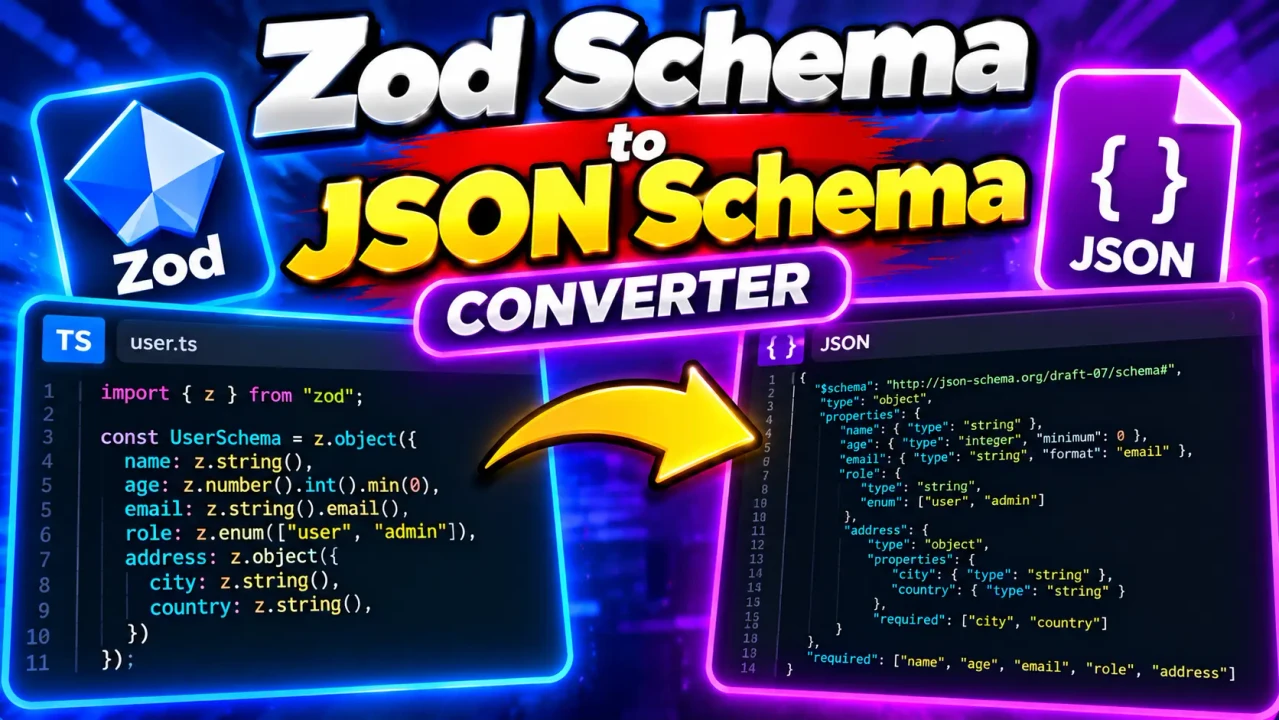
Zod Schema To Json Schema Converter
TL;DR Summary
Zod Schema To Json Schema Converter is a developer utility for converting a Zod schema into a JSON Schema representation that can be used by systems and tools that understand JSON Schema. Because the exact implementation and data-handling behavior of this page are not provided, treat the output as a conversion result that should be reviewed before use in production, and avoid entering sensitive information unless the page clearly explains how submitted data is handled.
About This Tool
The Zod Schema To Json Schema Converter is designed for developers who need to move a schema from the Zod validation ecosystem into JSON Schema format. Zod is commonly used in JavaScript and TypeScript applications to describe the shape and validation rules of data. JSON Schema expresses data structure and validation rules in a standard JSON-based format. Converting between these representations can help when a project uses Zod in application code but another service, API, documentation system, form tool, or validation workflow expects JSON Schema.
The main problem this tool addresses is the repeated manual work involved in translating schema definitions. A developer could inspect each Zod field, identify its data type and constraints, and then write the corresponding JSON Schema properties by hand. That becomes harder as schemas grow. Nested objects, arrays, required fields, unions, string constraints, numeric limits, and other validation rules can make manual conversion time-consuming and prone to omissions.
With a Zod Schema To Json Schema Converter, the intended workflow is more direct: provide a Zod schema as the input, run the conversion, and review the resulting JSON Schema. The resulting document can then be copied into a project or inspected before being used by another JSON Schema-compatible system.
Who Can Use It?
This tool is primarily useful for software developers, TypeScript developers, API developers, backend engineers, frontend engineers, and technical teams working with schema validation. It can also help developers who maintain applications where different parts of a system use different schema formats.
For example, a TypeScript application may use Zod to describe an object such as a user profile. Another part of the development workflow may require JSON Schema. Instead of rewriting the complete definition manually, a converter can provide a starting JSON Schema representation that the developer can inspect and adapt where needed.
Input and Output
| Item | Description |
|---|---|
| Input | A Zod schema or Zod schema definition supported by the converter. |
| Output | A JSON Schema representation of the supplied Zod schema. |
| Units | Not applicable. This is a developer schema conversion tool. |
| Main use | Translate schema structure and supported validation rules between Zod and JSON Schema. |
How to Use
- Step 1: Prepare the Zod schema you want to convert. Check that the schema is complete and that its syntax is valid for the Zod version and conversion workflow you are using.
- Step 2: Enter or paste the Zod schema into the converter input area provided by the tool.
- Step 3: Start the conversion using the control provided by the tool.
- Step 4: Review the generated JSON Schema and check that important object properties, data types, required fields, and validation constraints match your original Zod schema.
- Step 5: Copy the JSON Schema output into your development workflow or save it in the format required by the system that will consume it.
Technical Explanation
This is a format conversion rather than a mathematical calculation, so there is no numeric formula or unit conversion involved. The underlying logic is a mapping between schema concepts.
A simple Zod string field generally corresponds to a JSON Schema property with a type of "string". A Zod number generally maps to a JSON Schema numeric type. A Zod object can be represented as a JSON Schema object with properties, while required fields can be represented with a required array. Arrays can be represented using an array type and an items definition.
Validation constraints may also have corresponding JSON Schema keywords. For example, a minimum string length can correspond to minLength, while a maximum string length can correspond to maxLength. Numeric constraints can map to keywords such as minimum or maximum. The exact mappings depend on the Zod features supported by the converter.
A conceptual example is:
const User = z.object({
  name: z.string(),
  age: z.number()
});
A corresponding JSON Schema representation can be structured conceptually as:
{
  "type": "object",
  "properties": {
    "name": {
      "type": "string"
    },
    "age": {
      "type": "number"
    }
  },
  "required": ["name", "age"]
}
This example illustrates the basic mapping only. It does not establish that every Zod feature has a one-to-one JSON Schema equivalent. Zod and JSON Schema have different capabilities and semantics, so more advanced schemas should always be reviewed after conversion.
What the Converter May Need to Represent
A useful Zod-to-JSON-Schema conversion can involve several parts of a schema. Object fields need to be represented as JSON Schema properties. Required fields need to be identified. Arrays need an item definition. Nested objects need nested schemas. Unions and other composite structures may require JSON Schema constructs that combine multiple possible schemas.
String and number validation rules are also important because the goal of a schema is not only to describe data types but also to describe acceptable values. When a Zod constraint has a compatible JSON Schema equivalent, the converter may represent that constraint in the generated output. When there is no direct equivalent, the generated result may require manual review or adjustment.
Preset Examples / Quick Reference
| Zod Concept | Common JSON Schema Representation |
|---|---|
| z.string() | "type": "string" |
| z.number() | "type": "number" |
| z.boolean() | "type": "boolean" |
| z.array(...) | "type": "array" with an items schema |
| z.object(...) | "type": "object" with properties |
| Required object fields | Fields listed in the JSON Schema required array |
| Minimum string length | Often represented with minLength |
| Maximum string length | Often represented with maxLength |
Why Use This Zod Schema To Json Schema Converter & How Our Zod Schema To Json Schema Converter Beats the Competition
The practical value of a converter is reducing the amount of repetitive schema translation work. However, different approaches remain useful in different situations. The table below compares general methods without making unsupported claims about specific competing products.
| Method | Ease of Use | Calculation Speed | Best For | Limitations |
|---|---|---|---|---|
| Toolhox Zod Schema To Json Schema Converter | Designed for direct schema conversion | Conversion is performed by the tool | Developers who need a JSON Schema representation of a Zod schema | Output should be reviewed for unsupported or non-equivalent schema behavior |
| Manual Conversion | Requires knowledge of both formats | Depends on the developer | Small schemas or custom mappings | More manual work and greater opportunity for omissions |
| Spreadsheet Calculation | Not designed for schema conversion | Not applicable to normal schema mapping | Structured numeric or tabular calculations | Not a natural format for Zod-to-JSON-Schema conversion |
| Professional Development Software | Depends on the specific software and workflow | Depends on the implementation | Larger development workflows with additional tooling needs | May add setup or workflow requirements beyond a simple conversion |
Assumptions and Limitations
The exact implementation details of this Toolhox converter are not provided with the tool request. Therefore, this page does not assume a specific Zod version, conversion library, JSON Schema draft, input interface, output formatting option, or server-processing model.
Users should treat the generated JSON Schema as a conversion result that needs review. Zod and JSON Schema do not have identical feature sets or identical behavior for every validation concept. Some Zod features may not map directly to JSON Schema, and some generated schemas may need manual changes for a particular API, validator, documentation system, or application.
Pay particular attention to optional fields, nullable values, unions, transformations, refinements, custom validation logic, defaults, recursive schemas, and other advanced Zod behavior. A schema that performs runtime transformations or custom checks may not be fully expressible as ordinary JSON Schema.
The converter should not be treated as proof that two schemas have exactly identical runtime behavior. After conversion, compare the important parts of the output with the original Zod definition and test representative data when the schema is used in an important application.
Privacy behavior is not specified in the supplied tool information. Do not enter passwords, API keys, private customer records, proprietary source code, or other sensitive information unless the page clearly explains how submitted data is handled. For production APIs, security controls, compliance workflows, or other high-impact systems, validate the generated schema against the requirements of the system that will consume it.