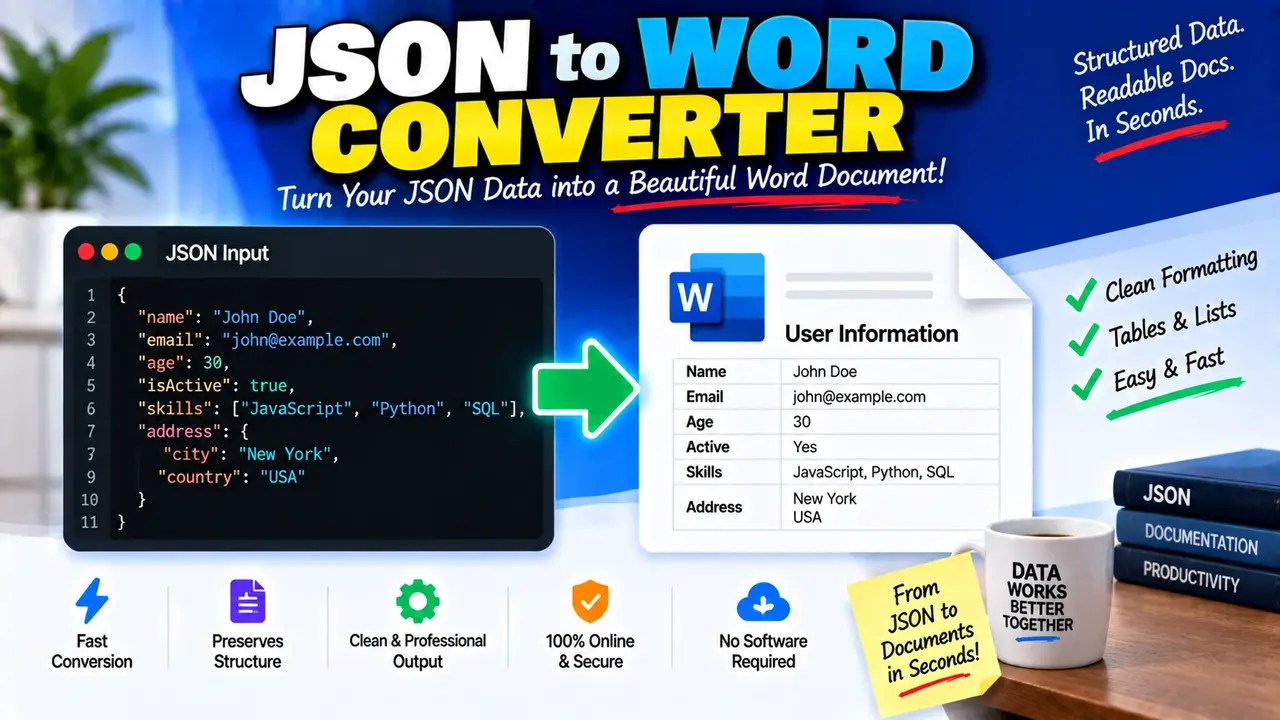
Online JSON to Word Converter
TL;DR Summary
The JSON to Word Converter is intended to turn JSON data into a Word document, making structured JSON information easier to read, share, or use as a document. The supplied tool information does not confirm its exact processing or storage behavior, so avoid entering sensitive information unless the page clearly explains how submitted data is handled.
About the JSON to Word Converter Online
The JSON to Word Converter is a document conversion tool designed for a common developer and productivity task: taking JSON (JavaScript Object Notation) data and turning it into a Word document. JSON is widely used to store structured information, configuration data, API responses, records, and other machine-readable content. While JSON works well for software, it is not always the easiest format for people who need to read, review, print, or share information as a document.
A JSON to Word converter bridges that gap. Instead of manually copying JSON into a document and trying to make the structure readable, the conversion process is intended to produce Word-compatible document content from the supplied JSON. This can be useful when structured data needs to be presented in a more familiar document format.
What Is JSON?
JSON stands for JavaScript Object Notation. It is a text-based format used to represent structured data. JSON commonly uses objects, arrays, property names, strings, numbers, Boolean values, and null values.
A simple JSON object can look like this:
{
  "name": "Alex",
  "department": "Sales",
  "active": true
}
The same information is easier for many non-technical users to review when it is placed into a document. A JSON to Word workflow is therefore useful when the original data is designed for software but the final information needs to be reviewed by people.
What the Tool Is Intended to Do
The primary task is conversion from JSON input to Word document output. The input is JSON text or JSON data supplied through the tool interface. The intended output is a Word document or Word-compatible document representation containing the supplied information.
The exact interface controls, file handling method, formatting options, maximum input size, and output-generation details are not confirmed by the supplied tool materials. For that reason, this page does not assign unsupported options such as custom fonts, page layouts, tables, headers, footers, styling controls, or specific file extensions unless the live tool itself provides them.
Who Can Use It?
The tool can be useful for developers, analysts, students, technical writers, office users, and anyone who receives JSON but needs a more familiar document format. A developer might use a JSON to Word workflow to turn structured output into a document for review. An analyst might need to make data easier for a colleague to read. A student may need to place structured sample data into a document for an assignment or demonstration.
It can also help when JSON is being used as an intermediate data format. For example, information may first be collected or generated in JSON and later need to be presented in a document. Converting the data can reduce the need to recreate the same information manually.
Inputs
The core input is JSON data. Valid JSON may contain objects, arrays, strings, numbers, Boolean values, and null values. The JSON should follow standard JSON syntax before conversion.
For example:
{
  "product": "Notebook",
  "quantity": 3,
  "available": true
}
Nested JSON and arrays may contain multiple levels of structured information. How those structures appear in the resulting Word document depends on the actual formatting behavior implemented by the tool. The supplied information does not confirm a specific layout for nested objects or arrays.
Output
The intended output is Word document content based on the JSON supplied as input. The purpose of the conversion is to move information from a machine-readable JSON structure into a document-oriented format that can be reviewed and shared more easily.
Users should check the converted document before relying on it as a final report or formal record. Complex JSON structures can contain nested objects, repeated arrays, long values, special characters, or other structures that may require review after conversion.
How to Use
- Step 1: Prepare the JSON data you want to convert and make sure it follows valid JSON syntax.
- Step 2: Enter or provide the JSON in the JSON to Word Converter using the input area or controls available on the tool page.
- Step 3: Start the conversion using the control provided by the tool.
- Step 4: Review the generated Word document or Word-compatible output to confirm that the JSON information is represented as expected.
- Step 5: Save or use the converted document according to your needs.
Technical Explanation
This is a converter rather than a mathematical calculator, so there is no single numerical formula such as multiplication or division. The core logic is a format transformation: structured JSON input is interpreted and represented as document content suitable for Word output.
Conceptually, the process can be described as:
JSON data → Parse JSON structure → Map data to document content → Word document output
Parsing means reading the JSON according to JSON syntax so that objects, properties, arrays, and values can be identified. Mapping means representing those structures in the output document. The exact mapping rules used by the live implementation are not provided in the supplied materials, so this page does not claim a particular formatting algorithm.
Valid JSON Matters
JSON syntax is strict. Common problems include missing quotation marks around property names, missing commas, extra commas, unmatched braces, unmatched brackets, and invalid values. If the input cannot be parsed as valid JSON, conversion may not produce the intended document.
For example, this is valid JSON:
{
  "name": "Jordan",
  "age": 28
}
This is not valid JSON because the property name is not enclosed in double quotation marks:
{
  name: "Jordan",
  "age": 28
}
Checking the JSON before conversion can help prevent avoidable conversion problems.
Preset Examples and Quick Reference
| JSON Structure | Example | Conversion Purpose |
|---|---|---|
| Simple object | {"name":"Alex"} |
Turn a basic key-value structure into document content. |
| Multiple properties | {"name":"Alex","active":true} |
Present several related values in a document. |
| Array | {"items":["A","B","C"]} |
Represent a collection of values in the output. |
| Nested object | {"user":{"name":"Alex"}} |
Convert structured, multi-level JSON into document content. |
Why Use This JSON to Word Converter & How Our JSON to Word Converter Beats the Competition
The practical value of a JSON to Word Converter is that it focuses on changing the format of structured data rather than requiring the user to rebuild the information manually. The table below compares general approaches. It describes trade-offs rather than making unsupported claims about competing products.
| Method | Ease of Use | Calculation Speed | Best For | Limitations |
|---|---|---|---|---|
| Toolhox JSON to Word Converter | Designed for direct JSON-to-Word conversion | Depends on the supplied data and tool implementation | Users who need JSON represented as Word document content | Exact formatting and processing behavior are determined by the live tool. |
| Manual Copy and Formatting | Requires manual work | Depends on the amount of data | Small amounts of JSON that need custom editing | Time and effort increase as the data becomes larger or more complex. |
| Spreadsheet Workflow | Requires additional preparation | Depends on the workflow | Structured data that needs spreadsheet-style organization | May require extra steps before producing a Word document. |
| Custom Programming | Requires development knowledge | Depends on the implementation | Repeatable or highly customized conversion workflows | Requires code and maintenance. |
Assumptions and Limitations
The main assumption is that the supplied content is intended to be valid JSON. The exact handling of invalid JSON, deeply nested structures, large inputs, special characters, arrays, and formatting is not documented in the supplied tool information.
The converted document should therefore be treated as a representation of the source JSON, not as an independent verification of the data. The converter does not inherently establish that the information inside the JSON is correct, complete, current, or suitable for a particular business or legal purpose.
Users should review important documents after conversion. This is especially important when the document will be used as an official record, customer-facing material, compliance documentation, financial information, or other content where formatting and data integrity matter.
Privacy behavior is also not confirmed by the supplied materials. Do not enter passwords, private keys, personal records, confidential business information, or other sensitive data unless the tool page clearly explains how that information is handled.
When a JSON to Word Conversion Is Useful
Use a JSON to Word workflow when the main need is to make structured data easier to consume in a document. It can be useful for documentation, internal review, data handoffs, demonstrations, reports, and other situations where Word is more convenient for the reader than raw JSON.
If the goal is to transform data into a highly customized publication with specific page designs, complex tables, advanced styling, or strict document standards, the generated result should be reviewed and edited as needed. A dedicated document-production workflow may be more suitable when exact formatting is a core requirement.
Overall, the JSON to Word Converter is intended to simplify the basic transition from JSON data to Word document content. Start with valid JSON, run the conversion, and review the resulting document before using it for an important purpose.
