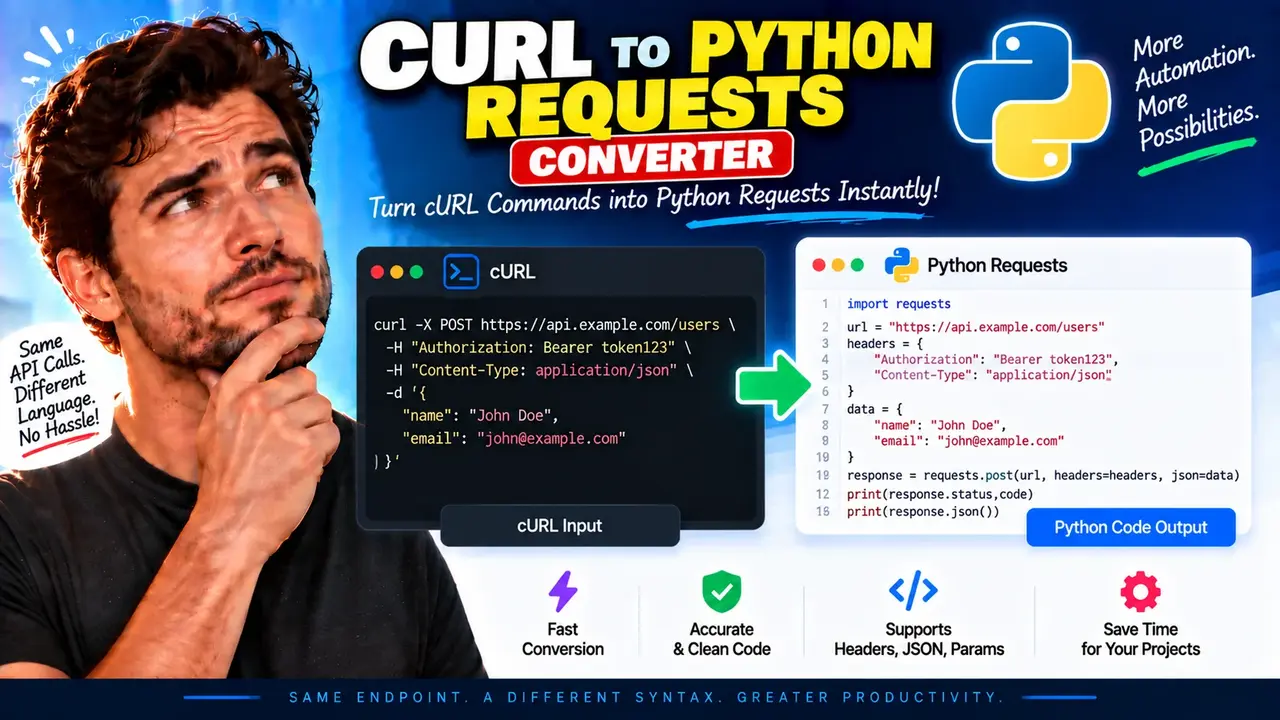
Online Curl to Python Requests Converter
TL;DR Summary
Curl to Python Requests Converter turns a cURL command into Python code that uses the requests library, helping developers move a command-line HTTP request into a Python project. It is intended as a practical code-conversion aid, and because the tool's internal processing and data-handling behavior are not provided here, avoid entering sensitive request data unless the page clearly explains how that data is handled.
About This Tool
Curl to Python Requests Converter is a developer utility for converting cURL commands into Python Requests code. cURL is widely used from a terminal or command prompt to send HTTP requests, test APIs, download resources, and reproduce web requests. Python's requests library provides a common way to make similar HTTP requests from Python programs.
The main problem this converter solves is the gap between a working cURL command and equivalent Python code. A developer may already have a cURL command from API documentation, a terminal session, browser developer tools, a support ticket, or an API test. Rewriting that command by hand can require identifying the HTTP method, URL, query parameters, headers, cookies, request body, authentication details, and other options. The converter is designed to provide a Python Requests representation of the supplied cURL command so that the developer has a usable starting point.
The primary input is a cURL command. The command normally contains a target URL and may contain options that describe how the HTTP request should be sent. Depending on the command, these options can include an HTTP method, request headers, query parameters, form data, JSON or other request bodies, cookies, authentication information, and related request settings. The exact set of cURL options that can be converted depends on what the tool supports.
The output is Python source code using the requests library. Instead of a terminal-oriented command such as curl, the generated result represents the request with Python syntax. A typical conversion may use requests.get(), requests.post(), or the more general requests.request() pattern, together with arguments for the URL, headers, parameters, cookies, or request body when those details can be represented.
Who Can Use It?
This tool is useful for Python developers, API developers, backend programmers, QA engineers, automation developers, technical writers, and students learning HTTP requests. It can also help when an API provider gives an example in cURL but your application is written in Python.
For example, suppose an API guide gives you a cURL command with an HTTP method, URL, and custom header. Rather than manually translating every part, you can provide the cURL command to the converter and inspect the resulting Python Requests code. You can then adapt the generated code to your project's structure, error handling, authentication flow, and application requirements.
How to Use
- Step 1: Copy the complete cURL command you want to convert, including the URL and any request options that are part of the command.
- Step 2: Paste the cURL command into the Curl to Python Requests Converter input area.
- Step 3: Run the conversion using the tool's conversion control.
- Step 4: Review the generated Python Requests code and compare it with the original cURL command.
- Step 5: Copy the Python code into your project and adjust it for your application's variables, authentication, error handling, and other requirements.
Technical Explanation
This is a code converter rather than a mathematical calculator, so there is no single numeric formula. The standard conversion logic is to interpret the parts of a cURL command and express the corresponding HTTP request in Python Requests syntax.
The main conceptual mapping is:
| cURL concept | Python Requests concept |
|---|---|
| Target URL | url argument |
| HTTP method | requests.get(), requests.post(), or requests.request() |
| Request headers | headers={...} |
| Query parameters | params={...} |
| Cookies | cookies={...} |
| Request body | Arguments such as data= or json=, when the body can be represented that way |
For a simple cURL request such as curl https://api.example.test/users, the standard Python Requests equivalent is conceptually:
import requests

response = requests.get("https://api.example.test/users")
This example illustrates the conversion pattern only. The example domain is not a real API endpoint and should not be treated as a working service.
For a request containing a header, the same concept can be represented with a Python dictionary:
import requests

headers = {
    "Accept": "application/json"
}

response = requests.get(
    "https://api.example.test/users",
    headers=headers
)
The important point is that conversion changes the programming representation of the request. It does not automatically make an API request valid, authenticate the user, fix an incorrect URL, or determine what the remote server expects. The generated code should therefore be reviewed before it is used in production software.
Preset Examples / Quick Reference
| Request detail | Typical Python Requests representation |
|---|---|
| GET request | requests.get(url) |
| POST request | requests.post(url, ...) |
| Custom header | headers={"Name": "Value"} |
| Query parameter | params={"key": "value"} |
| Form-style data | data={...} |
| JSON request data | json={...}, when appropriate to the original request |
Understanding the Generated Code
A generated result should be treated as Python source code that represents the supplied cURL request. The conversion is most useful when you understand what the original request is supposed to do. Check the URL, HTTP method, headers, parameters, cookies, body, and authentication-related values before running the result.
It is also useful to understand the difference between a request representation and a complete application. A converter can help create the request portion of your Python program, but your application may still need response handling, status-code checks, retries, timeouts, logging, exception handling, configuration management, and secure secret handling. Those application concerns depend on your project and are not implied by the conversion itself.
Why Use This Curl to Python Requests Converter & How Our Curl to Python Requests Converter Beats the Competition
The practical value of this tool is that it focuses on translating between two request formats: cURL and Python Requests. Different approaches can still be useful depending on the task.
| Method | Ease of Use | Calculation Speed | Best For | Limitations |
|---|---|---|---|---|
| Toolhox Curl to Python Requests Converter | Paste a cURL command and convert it | Designed for direct conversion | Getting a Python Requests starting point from cURL | Generated code should be reviewed; support for advanced cURL options may vary |
| Manual conversion | Requires knowledge of both syntaxes | Depends on the person doing the work | Custom translations and detailed code control | Easy to overlook request details |
| Spreadsheet | Not designed for this task | Not applicable to code conversion | Structured data work | Does not naturally translate cURL into Python Requests code |
| Professional development tools | Varies by product and workflow | Depends on the tool | Broader API testing and development workflows | May provide more features than needed for a simple conversion |
Assumptions and Limitations
Curl to Python Requests Converter should be viewed as a conversion aid, not as a guarantee that every cURL command will have a perfect one-to-one Python representation. cURL has many options, and some options describe behavior that does not map directly to a single Requests argument.
Complex commands may require manual changes after conversion. This can apply to advanced cURL features, shell-specific syntax, file operations, special authentication mechanisms, environment variables, redirects, proxies, certificates, multipart uploads, or other options that depend on the execution environment. Shell quoting is another important consideration because a command copied from a terminal may contain syntax that belongs to the shell rather than to cURL itself.
Generated Python code should be checked before it is executed. Confirm that the HTTP method, URL, headers, parameters, body, cookies, and authentication details match the request you intend to make. If the cURL command contains an API key, password, session cookie, bearer token, or other secret, handle the generated code carefully and avoid exposing those values in source control, logs, screenshots, or shared messages.
The supplied tool information does not document its server-side processing, storage, or upload behavior. For that reason, this page does not make a claim that submitted commands are processed locally or that they are never stored. Users should avoid entering sensitive information unless the tool's own privacy notice clearly explains how submitted data is handled.
For production systems, review the converted code and add the application-specific safeguards your project requires. In particular, consider suitable timeout settings, error handling, secure credential management, response validation, and logging practices. The converter provides a representation of the request; it does not replace testing against the target API or careful code review.