
Docker Compose To Kubernetes Yaml
Convert Docker Compose to Kubernetes YAML with a converter for services, ports, volumes, networks, configs, and secrets. Generate Kubernetes YAML manifests for migration.
Advanced options
# Press Convert.
100% private — conversion runs in your browser. Nothing is sent or stored.
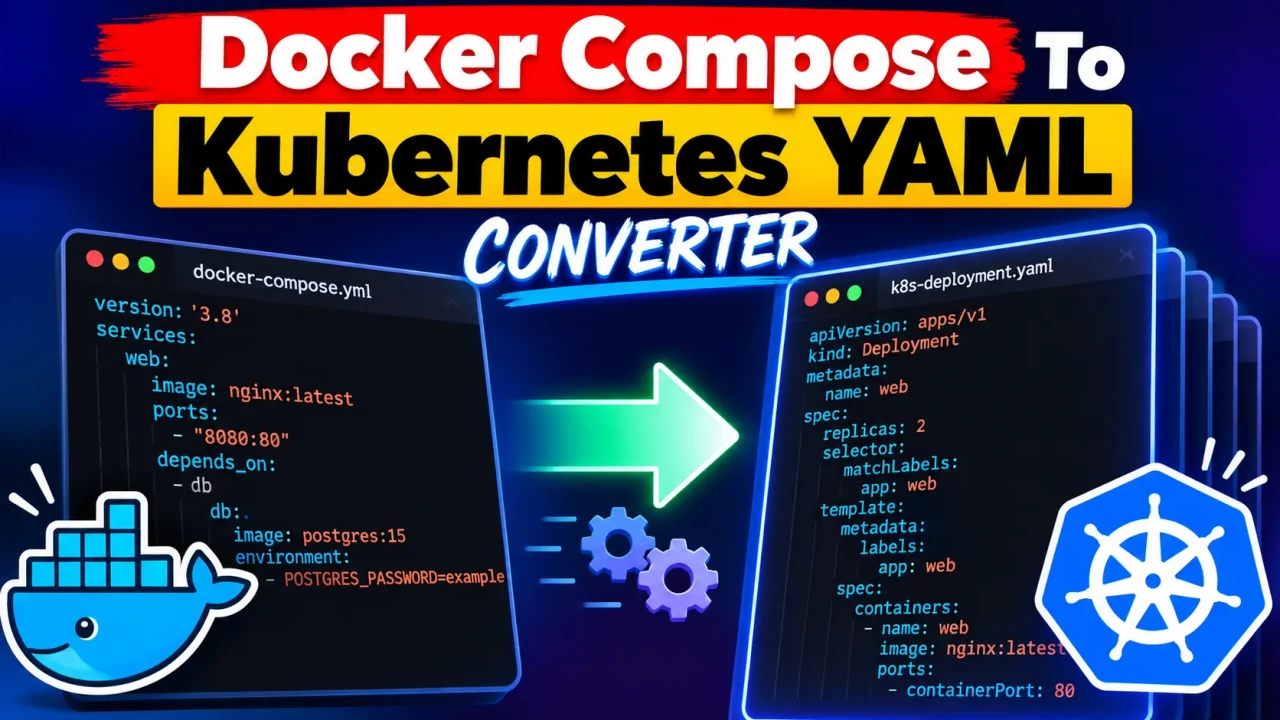
What Is the Docker Compose To Kubernetes Yaml Converter?
Quick answer: The Docker Compose To Kubernetes Yaml Converter is a developer utility that transforms Docker Compose YAML into Kubernetes YAML manifests. It accepts Compose configuration covering services, ports, volumes, networks, configs, and secrets, helping teams prepare containerized applications for Kubernetes migration.
Docker Compose and Kubernetes both describe containerized applications declaratively, but they use different resource models. A Compose file groups application services and their runtime configuration, while Kubernetes represents workloads, networking, configuration, and storage through separate API resources. This converter provides a migration-oriented bridge between those representations.
The converter accepts Docker Compose YAML and works with the parts of a Compose application explicitly covered by the tool: services, ports, volumes, networks, configs, and secrets. The result is Kubernetes YAML intended to give developers a concrete manifest starting point instead of requiring every resource to be recreated manually.
That distinction matters because a Compose definition is not a one-to-one Kubernetes specification. A published port, named volume, network, configuration file, or secret can require different Kubernetes resources or cluster-specific decisions. The generated YAML should therefore be treated as a migration artifact to inspect and adapt rather than as proof that every deployment concern has been resolved.
How to Use Docker Compose To Kubernetes Yaml Converter?
- Prepare the Compose file. Start with a valid Docker Compose YAML document containing the services and configuration you want to migrate.
- Paste the configuration. Enter the Compose YAML into the converter input area.
- Generate Kubernetes YAML. Run the conversion to produce Kubernetes manifest output.
- Review before deployment. Check networking, storage, configuration, secrets, and other cluster-specific settings before applying the manifests.
What Should I Enter?
Use the YAML representation of your Docker Compose application. A typical input identifies one or more services, the container image used by each service, optional published ports, and other application configuration.
What Does the Output Contain?
The output is Kubernetes YAML generated from the supported Compose configuration. Depending on the input, the conversion can represent application services, network exposure, storage-related configuration, configuration data, and secrets in Kubernetes manifest form.
Input and Output Example
Consider a simple web service:
services:
  web:
    image: nginx:1.27-alpine
    ports:
      - "8080:80"

volumes:
  web-data:
The converter's output is Kubernetes YAML rather than another Compose file. A representative Kubernetes representation for the service and its exposed port can look like this:
apiVersion: apps/v1
kind: Deployment
metadata:
  name: web
spec:
  template:
    spec:
      containers:
        - name: web
          image: nginx:1.27-alpine
          ports:
            - containerPort: 80
---
apiVersion: v1
kind: Service
metadata:
  name: web
spec:
  ports:
    - port: 8080
      targetPort: 80
  selector:
    app: web
This example demonstrates the important migration concept: the Compose service definition is expressed through Kubernetes resources, while the published application port becomes Kubernetes networking configuration. The exact generated manifest should always be reviewed against the converter's current output and your target cluster.
Compose-to-Kubernetes Technical Reference
| Compose Area | Kubernetes Concern | Migration Consideration |
|---|---|---|
services |
Workload/container definitions | Container image, command, environment, mounts, and other runtime settings need Kubernetes-compatible representation. |
ports |
Service exposure | Compose host-to-container publishing is different from Kubernetes Service exposure; verify ports and exposure type. |
volumes |
Pod storage and persistence | Named or host-backed storage may require a PersistentVolumeClaim or another cluster-specific storage design. |
networks |
Service connectivity | Compose networks do not map one-to-one to Kubernetes networking; service discovery, namespaces, and policies may need review. |
configs |
Application configuration | Review how configuration data is represented and mounted or injected in the generated manifests. |
secrets |
Sensitive configuration | Review generated Secret-related data carefully and apply your cluster's required access controls. |
Docker documents the Compose Specification as the current Compose file format and provides reference material for services, networks, volumes, configs, and secrets. Kubernetes documents Services as the API abstraction for exposing applications running in Pods. These references are useful when validating generated manifests:
Docker Compose file reference
Kubernetes Services documentation
How the Conversion Logic Should Be Reviewed
The key operation is semantic translation rather than simple YAML syntax conversion. A Compose key describes Docker-oriented runtime behavior, while the Kubernetes result must conform to Kubernetes resource structure. For example, a Compose port such as "8080:80" contains a host port and a container port; Kubernetes separates Service port from Pod targetPort. Similarly, persistent storage in Kubernetes is represented through storage resources rather than simply reusing a Docker named volume.
Supported
- Docker Compose YAML service definitions
- Port configuration
- Volume configuration
- Network configuration
- Compose configs
- Compose secrets
- Kubernetes YAML manifest generation
Edge Cases and Limitations
- Ports: Host publishing in Compose is not equivalent to Kubernetes external exposure. Check whether the resulting application should use a Service, Ingress, load balancer, or another networking pattern.
- Volumes: Local bind mounts can depend on a specific Docker host filesystem. Kubernetes workloads may move between nodes, so storage configuration must be validated for the target cluster.
- Networks: A Compose network expresses container connectivity, but Kubernetes networking relies on resources such as Services and, where configured, network policies.
- Secrets: Do not assume that placing sensitive values into a Kubernetes Secret makes them automatically safe. Kubernetes Secret handling still requires appropriate access control and cluster security practices.
- Advanced Compose behavior: Features with Docker-specific semantics may not have a direct Kubernetes equivalent and can require manual redesign after conversion.
- Invalid YAML: Malformed or structurally invalid Compose input may prevent meaningful manifest generation. Correct the source configuration before relying on the result.
Technical Note: Generated Kubernetes YAML is best used as a migration starting point. Validate resource names, selectors, service ports, persistent storage, configuration, secrets, health behavior, resource requirements, and cluster-specific policies before production deployment.
Technical Review: Reviewed for Compose-to-Kubernetes resource-model differences, manifest structure, networking concepts, persistent-storage considerations, configuration handling, secret management, and migration caveats.
Author Name: Daniel Brooks
Author Description: Cloud Infrastructure Engineer focused on Docker Compose, Kubernetes, container orchestration, and deployment configuration.