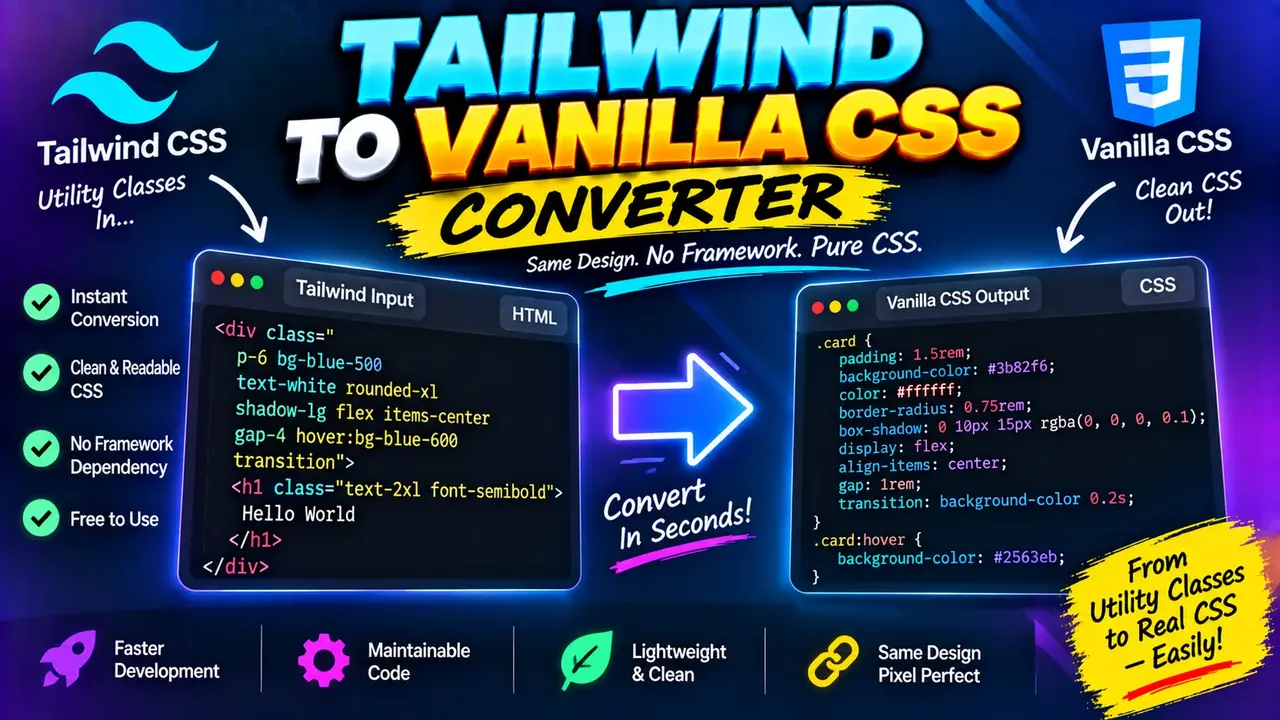
Tailwind to Vanilla CSS Converter
TL;DR Summary
The Tailwind to Vanilla CSS Converter is intended to help developers turn Tailwind CSS utility-class styling into corresponding plain CSS declarations, making the styling easier to inspect or use without Tailwind utility classes. The supplied tool information does not document its exact conversion rules or privacy behavior, so treat the output as generated CSS that should be reviewed and tested before use, and avoid entering sensitive code unless the page clearly explains how submitted data is handled.
About This Tool
The Tailwind to Vanilla CSS Converter is a developer utility for working with Tailwind CSS classes and standard CSS. Tailwind CSS uses small utility classes such as spacing, display, sizing, typography, colors, borders, and layout utilities directly in HTML. Vanilla CSS uses CSS declarations inside stylesheets or style blocks. Converting between these two approaches can be useful when you want to inspect what a group of utility classes represents or move styling into a conventional CSS structure.
This tool is intended for people who already have Tailwind CSS class names and want a plain-CSS representation of those styles. It can be useful for frontend developers, web designers, students learning CSS, and developers maintaining projects where Tailwind is not available or is only used in part of the application.
The basic input for this type of converter is a Tailwind CSS class string. For example, a class list may contain utilities for display, padding, margin, width, text size, font weight, background color, text color, border radius, or other supported Tailwind features. The converter's job is to interpret those utility classes and produce CSS declarations that represent their intended styling.
The exact set of supported Tailwind utilities, variants, arbitrary values, responsive prefixes, state variants, plugins, and Tailwind-version-specific features is not documented in the supplied tool information. Because of that, this page does not assume that every Tailwind class can be converted or that every advanced Tailwind feature has an exact one-to-one vanilla CSS equivalent.
What You Enter
The main input is expected to be Tailwind CSS utility classes. A typical input can contain multiple classes separated by spaces. The exact input controls and accepted syntax should be confirmed from the live converter interface because the supplied information does not document its internal input validation or supported syntax.
For example, a Tailwind class list might look like:
flex items-center justify-center p-4 text-lg font-boldThese classes describe several independent style rules. A conversion process can represent them as ordinary CSS declarations such as display, alignment, padding, font size, and font weight. The exact generated values depend on how the converter maps Tailwind's design tokens and utilities.
What You Get
The expected output is vanilla CSS based on the supplied Tailwind utility classes. Vanilla CSS means regular CSS declarations rather than Tailwind class names. This can make the resulting styles easier to place in a traditional stylesheet, review during debugging, or adapt to a project that does not use Tailwind.
The output should be treated as code for review rather than as a guarantee that every original Tailwind behavior has been reproduced. Tailwind can express responsive rules, hover and focus states, dark-mode behavior, arbitrary values, and other variants. Those features may require selectors, media queries, pseudo-classes, or additional CSS structure rather than a simple list of declarations.
How to Use
- Step 1: Enter or paste the Tailwind CSS utility classes you want to convert into the converter's input area.
- Step 2: Review the entered class list and make sure the Tailwind syntax is complete and correctly separated.
- Step 3: Run the conversion using the tool's available conversion control.
- Step 4: Review the generated vanilla CSS and check that the declarations match the visual behavior you expect.
- Step 5: Copy the CSS into your stylesheet or project and test it with the original HTML and surrounding styles.
Technical Explanation
This is a CSS utility-class converter, not a numerical calculator, so there is no single mathematical formula such as multiplication or division. The core logic is a mapping process: a Tailwind utility class is interpreted and represented as one or more standard CSS declarations.
A simplified conceptual mapping looks like this:
| Tailwind concept | Vanilla CSS concept |
|---|---|
| Display utility | display declaration |
| Padding utility | padding or directional padding declarations |
| Margin utility | margin or directional margin declarations |
| Text sizing utility | font-size and potentially related declarations |
| Font weight utility | font-weight |
| Background utility | background-color or another relevant background declaration |
| Text color utility | color |
| Rounded-corner utility | border-radius |
These examples describe the standard CSS concepts represented by common Tailwind utilities. They do not confirm the converter's exact internal mapping or the complete list of supported classes.
Responsive and State Variants
One important consideration is that some Tailwind classes are not simple standalone declarations. A prefix such as a responsive breakpoint or a state variant can change when a rule applies. For example, a responsive utility may need to become a CSS rule inside a media query, while a hover utility may need a :hover selector.
For that reason, users should inspect generated output carefully when converting class strings that contain variants. The result may require a suitable CSS selector or surrounding HTML context to reproduce the original behavior.
Preset Examples / Quick Reference
| Tailwind input type | Expected vanilla CSS concept | Review point |
|---|---|---|
| Layout utilities | Display, flex, grid, positioning, or alignment declarations | Check the final layout in the target page. |
| Spacing utilities | Margin and padding declarations | Check the spacing scale and affected sides. |
| Typography utilities | Font and text declarations | Check font family, size, weight, line height, and related styles. |
| Color utilities | Color or background declarations | Check the generated color value against the intended design. |
| Responsive or state variants | Media queries or pseudo-class rules may be needed | Test the relevant viewport or interaction state. |
Why Use This Tailwind to Vanilla CSS Converter & How Our Converter Beats the Competition
The practical value of a Tailwind-to-CSS converter is that it provides a conversion workflow instead of requiring the developer to manually interpret every utility class. However, different approaches are useful in different situations. The table below compares general methods rather than making unsupported claims about named competitors.
| Method | Ease of Use | Calculation Speed | Best For | Limitations |
|---|---|---|---|---|
| Toolhox Tailwind to Vanilla CSS Converter | Enter Tailwind classes and review generated CSS | Designed for direct conversion | Quick utility-class conversion and inspection | Exact supported classes and advanced variant handling are not documented in the supplied tool information. |
| Manual Conversion | Requires CSS knowledge and manual interpretation | Depends on the number of classes | Small conversions or detailed manual control | More work and greater opportunity for missed utilities. |
| Spreadsheet or Notes | Requires a manually maintained mapping | Depends on the mapping and user workflow | Maintaining custom reference lists | Does not inherently understand Tailwind syntax. |
| Professional Development Tools | Varies by tool and workflow | Depends on the development environment | Larger projects and broader CSS workflows | May provide capabilities beyond a focused class conversion task. |
Assumptions and Limitations
The most important limitation is that the supplied tool information does not provide a complete list of supported Tailwind utilities or document the converter's exact implementation. Do not assume that every Tailwind class, plugin utility, arbitrary value, responsive prefix, state variant, or version-specific feature will convert perfectly.
Tailwind also relies on configuration and design tokens. A class may represent a value defined by a particular project's Tailwind configuration rather than a universal CSS value. If the converter does not have access to that project configuration, the generated CSS may not reproduce every project-specific token exactly.
Generated CSS can also depend on context. A utility that looks correct by itself may interact with inheritance, CSS specificity, source order, parent layout, pseudo-classes, media queries, or other styles in the application. Always test the converted CSS in the page where it will be used.
This tool should not be treated as a replacement for understanding CSS when the conversion affects production UI behavior. For simple class lists, the generated declarations can serve as a practical starting point. For complex components, review selectors, responsive behavior, state styles, theme behavior, and project-specific design tokens before publishing the result.
The supplied information does not document how input data is transmitted, processed, or stored. Do not enter secrets, private source code, credentials, API keys, or other sensitive information unless the live page clearly explains how submitted data is handled.