Online Sos Morse Code Generator With Sound
Generate distress signals fast with this SOS Morse Code Generator. Translate text to Morse code with real-time sound, flash, and visual effects.
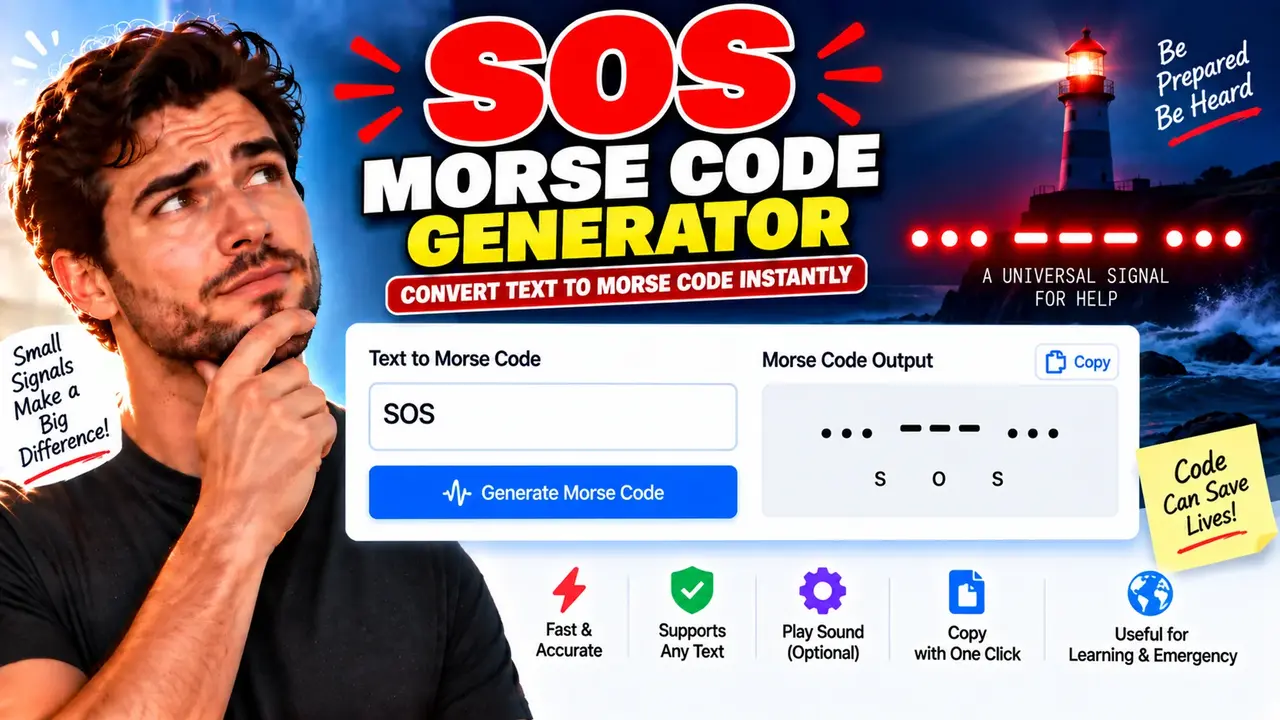
Online SOS Morse Code Generator
TL;DR Summary
SOS Morse Code Generator helps you generate and understand the standard SOS Morse signal, shown as ...---... or, when the three letters are spaced for readability, ... --- .... The supplied tool context does not document how user data is processed or stored, so no specific privacy guarantee is made; avoid entering sensitive information unless the page explains how it handles your data.
What Is the SOS Morse Code Generator?
SOS Morse Code Generator is a focused web utility for generating or checking the Morse code pattern associated with SOS. SOS is the internationally recognized Morse distress signal. Its familiar pattern consists of three dots, three dashes, and three dots: ...---.... When written as the three corresponding Morse letters, it is commonly displayed as ... --- .... The continuous form represents the distress signal as an unbroken sequence rather than three ordinary letters with normal letter gaps.
The tool is useful when you need a quick visual reference for the SOS signal. It can also help students, Morse code learners, radio hobbyists, puzzle solvers, educators, and anyone who needs to check the correct dot-and-dash pattern. The main purpose is simple: make the SOS Morse pattern easy to identify and use as a reference.
The supplied Toolhox context identifies this page as an SOS Morse Code Generator, but it does not provide a complete specification of every interface control or output option. Therefore, this description focuses on the core behavior supported by the tool's stated purpose rather than claiming undocumented features such as audio playback, flashlight signaling, file downloads, adjustable WPM, or Morse-to-text decoding.
What Is SOS in Morse Code?
In International Morse Code, the letter S is represented by three dots and the letter O is represented by three dashes. That gives the familiar SOS sequence of three dots, three dashes, and three dots. :contentReference[oaicite:0]{index=0}
For a readable letter-by-letter representation, use ... --- .... For the distress signal itself, the sequence is conventionally treated as a continuous Morse pattern, written ...---.... This distinction matters because normal letter spacing changes the timing of the signal. :contentReference[oaicite:1]{index=1}
SOS is not officially an abbreviation for phrases such as “Save Our Ship” or “Save Our Souls.” Those phrases became later memory aids. The original value of the signal was its distinctive and easy-to-recognize Morse pattern. :contentReference[oaicite:2]{index=2}
Who Can Use This Tool?
The SOS Morse Code Generator can be useful for several groups:
- Morse code beginners: Check the three-dot, three-dash, three-dot pattern while learning.
- Radio hobbyists: Use the pattern as a quick reference during Morse code practice.
- Students and teachers: Demonstrate how individual Morse characters form the familiar SOS sequence.
- Puzzle and game users: Verify a Morse clue that represents SOS.
- General users: Quickly look up the correct dot-and-dash sequence without manually translating each letter.
Inputs and Outputs
The core subject of this generator is the SOS signal. The supplied tool information does not document additional required fields, optional settings, maximum input length, audio controls, or download formats. The expected core output is the Morse representation of SOS:
| Item | Representation |
|---|---|
| Letter S | ... |
| Letter O | --- |
| Letter S | ... |
| Readable SOS | ... --- ... |
| Continuous distress pattern | ...---... |
How to Use
- Step 1: Open the SOS Morse Code Generator and use the SOS input or generator control provided on the page.
- Step 2: Generate the Morse representation and check that the pattern contains three dots, three dashes, and three dots.
- Step 3: Use the displayed Morse pattern as a visual reference for learning, practice, writing, or checking a Morse code puzzle.
- Step 4: If the page provides separate formatting for readable letters and the continuous distress signal, use
... --- ...when showing S-O-S as separate letters and...---...when representing the continuous distress pattern.
Technical Explanation and Morse Code Logic
The underlying Morse mapping for SOS is straightforward. S maps to three dots, while O maps to three dashes. Combining S-O-S produces three dots, three dashes, and three dots.
Standard mapping:
S = ...O = ---S = ...
Readable letter form:
S + O + S = ... --- ...
Continuous SOS distress pattern:
...---...
International Morse timing uses a dot as one basic time unit and a dash as three units. A gap between individual elements within a character is one unit. Normal spacing between letters is three units, while a word gap is seven units. :contentReference[oaicite:3]{index=3}
If timing is required, the standard Morse relationship can be expressed as:
1 time unit = 1200 / WPM milliseconds
Here, WPM means words per minute. For example, at 20 WPM, one unit is 60 milliseconds, so a dot is 60 milliseconds and a dash is 180 milliseconds. This timing explanation describes the standard International Morse method; it does not claim that the Toolhox page exposes a WPM control unless that control is actually present. :contentReference[oaicite:4]{index=4}
Preset Example and Quick Reference
| Reference | Morse Pattern | Meaning |
|---|---|---|
| S | ... |
Three dots |
| O | --- |
Three dashes |
| SOS, letter-spaced | ... --- ... |
S, O, S shown separately |
| SOS distress pattern | ...---... |
Three short, three long, three short signals |
A simple way to remember the pattern is three short, three long, three short. A dot represents the short element and a dash represents the long element. The important visual sequence is therefore ••• ——— •••. :contentReference[oaicite:5]{index=5}
Why Use This SOS Morse Code Generator & How Our SOS Morse Code Generator Beats the Competition
The practical difference between this tool and other ways of finding SOS Morse code is mainly convenience and purpose. The comparison below describes general methods rather than making unsupported claims about specific competing websites.
| Method | Ease of Use | Calculation Speed | Best For | Limitations |
|---|---|---|---|---|
| Toolhox SOS Morse Code Generator | Simple reference-oriented tool | Designed for quick generation or checking | Checking the SOS Morse pattern | Supplied tool information does not document advanced Morse controls |
| Manual Morse Reference | Requires looking up individual letters | Depends on the user | Learning the Morse alphabet | Easy to confuse dots, dashes, or spacing |
| Spreadsheet | Requires setup | Depends on the spreadsheet design | Custom Morse-code projects | More work than needed for a fixed SOS lookup |
| General Morse Code Generator | May include more controls | Depends on the service | Generating longer messages | Extra features may be unnecessary when only SOS is needed |
| Professional Radio or Training Software | Usually requires more setup | Depends on the application | Structured Morse training or communications workflows | More complex than a simple SOS reference |
Assumptions and Limitations
The main assumption is that the requested output follows International Morse Code for the letters S and O. The standard mapping is well defined: S is ... and O is ---. The exact interface behavior of the Toolhox implementation, including any controls beyond the core generator, is not documented in the supplied source material.
The generated pattern should be treated as a Morse-code reference, not as a replacement for emergency communications procedures or official emergency services. In a real emergency, users should use appropriate local emergency channels and established emergency procedures. A web-based Morse generator does not itself provide emergency response, rescue, radio access, or confirmation that a signal has been received.
Users should also understand the difference between a readable representation and the continuous distress pattern. ... --- ... clearly shows the three letters, while ...---... represents the continuous SOS distress sequence. :contentReference[oaicite:6]{index=6}
Privacy behavior is not specified in the supplied Toolhox tool information. Because of that, this page does not promise local processing, no uploads, or automatic deletion. Avoid entering sensitive or confidential information unless the live page clearly explains its data-handling practices.
When Should You Use the Tool?
Use the SOS Morse Code Generator when you need to identify, check, study, or reproduce the standard SOS Morse pattern. It is especially useful when you want a quick reference instead of manually looking up S and O in a complete Morse alphabet.
For basic learning, remember the sequence as three short signals, three long signals, and three short signals. For written reference, ... --- ... is easy to read. For the continuous distress pattern, use ...---.... :contentReference[oaicite:7]{index=7}
