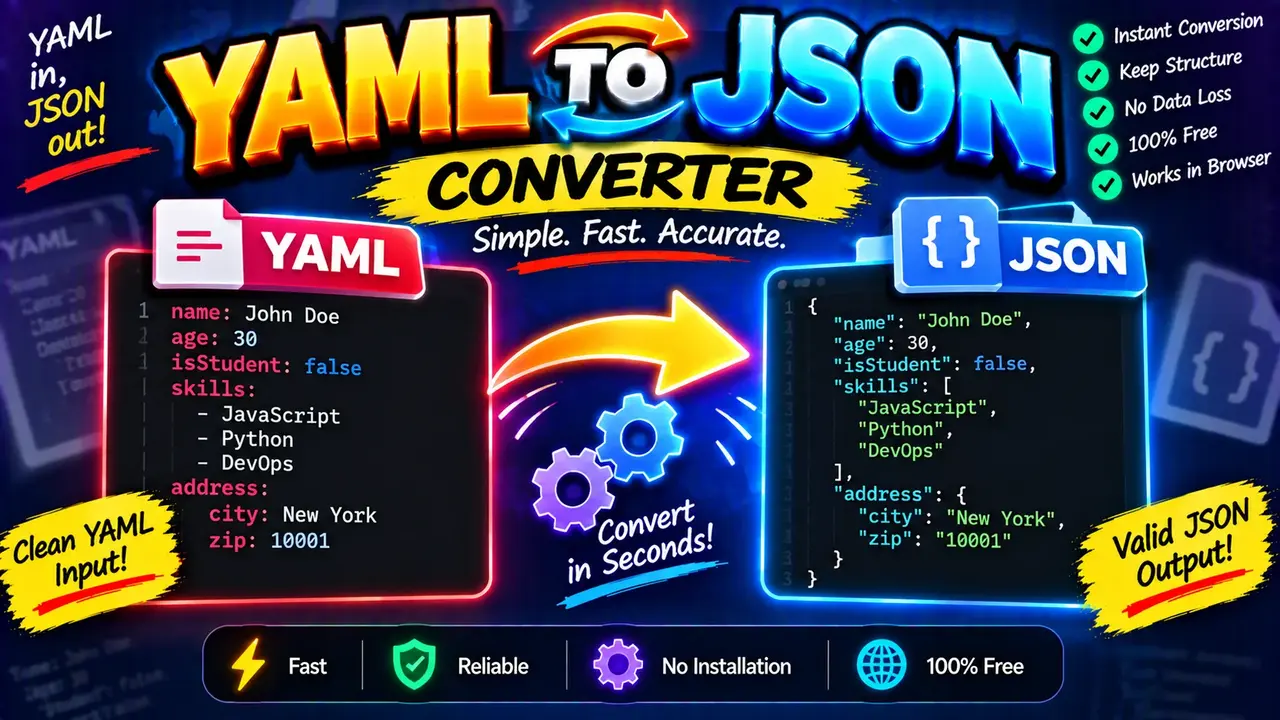
YAML to JSON Converter
TL;DR Summary
YAML to JSON Converter converts YAML-formatted data into JSON-formatted data, helping you move configuration or structured data between systems that use different formats. The exact processing and privacy behavior are not specified in the supplied tool information, so avoid entering sensitive data unless the page clearly explains how submitted content is handled.
What Is the YAML to JSON Converter?
The YAML to JSON Converter is a format conversion tool for users who need to change YAML data into JSON data. YAML and JSON are both common formats for representing structured information. They can describe objects, lists, values, and nested data, but they use different syntax.
YAML is often chosen when people want a readable format for configuration files and structured documents. JSON is widely used for APIs, web applications, configuration data, and software systems. When a project expects JSON but the available data is written in YAML, manually rewriting the content can introduce syntax errors or take unnecessary time. A YAML to JSON converter provides a direct way to perform that format change.
This tool is useful for developers, technical writers, system administrators, students, data analysts, and anyone working with structured text. It can also help when checking how a YAML document maps to the equivalent JSON structure.
What You Enter
The primary input is YAML-formatted text. YAML can contain simple key-value pairs, nested objects, arrays or lists, strings, numbers, Boolean values, and other YAML structures. The YAML must be written using valid syntax for the converter to interpret it correctly.
For example, a simple YAML object can look like this:
name: Alice
age: 30
active: true
The equivalent JSON representation is:
{
  "name": "Alice",
  "age": 30,
  "active": true
}
The important point is that the converter changes the representation of the data. It does not turn the information into a different type of business data. A name remains a name, a number remains a number, and a Boolean value remains a Boolean value when the YAML structure can be represented in JSON.
What the Tool Produces
The output is JSON-formatted text corresponding to the supplied YAML structure. JSON commonly uses curly braces for objects, square brackets for arrays, quoted property names, commas between members, and a defined set of JSON value types.
For nested YAML, the JSON output can contain nested objects and arrays. For example:
user:
  name: Alice
  roles:
    - admin
    - editor
can be represented as:
{
  "user": {
    "name": "Alice",
    "roles": [
      "admin",
      "editor"
    ]
  }
}
This makes the relationship between the two formats easier to understand. The structure is preserved where the YAML content can be represented by JSON.
How to Use the YAML to JSON Converter
- Step 1: Prepare the YAML text you want to convert. Check that indentation and YAML syntax are correct before converting.
- Step 2: Enter or paste the YAML content into the tool's YAML input area.
- Step 3: Run the conversion using the available conversion control on the tool page.
- Step 4: Review the generated JSON and confirm that its objects, arrays, keys, and values match the structure you intended.
- Step 5: Copy the JSON output and use it in the application, API request, configuration workflow, or other compatible context where JSON is required.
Technical Explanation
This is a converter rather than a numerical calculator, so there is no single arithmetic formula such as multiplication or division. The standard conversion process is based on parsing the YAML structure and representing that structure using JSON syntax.
The basic mapping is:
| YAML Concept | Typical JSON Representation |
|---|---|
| Key-value mapping | JSON object property |
| Nested mapping | Nested JSON object |
| List | JSON array |
| String | JSON string |
| Number | JSON number |
| Boolean | JSON boolean |
For example, the YAML mapping name: Alice corresponds to the JSON property "name": "Alice". A YAML list such as - admin followed by - editor corresponds to a JSON array containing those two string values.
The exact internal parser, formatting rules, handling of advanced YAML features, and error-reporting behavior are not specified in the supplied tool information. Therefore, this page describes the standard YAML-to-JSON conversion logic rather than claiming knowledge of a hidden implementation.
Common YAML to JSON Conversion Issues
YAML depends heavily on structure and indentation. A misplaced space can change the meaning of a document or make it invalid. Before converting, check indentation, list markers, key names, quotation marks, and nested sections.
Another important difference is that YAML can express constructs that do not have a direct equivalent in standard JSON. Advanced YAML features may therefore require special handling, depending on the parser used by the tool. Users should review converted output when working with complex YAML instead of assuming that every YAML feature has an identical JSON representation.
JSON also has stricter syntax requirements. JSON property names are normally enclosed in double quotation marks, arrays use square brackets, objects use curly braces, and commas separate members. A valid YAML document and a valid JSON document therefore look quite different even when they describe the same data.
Preset Example
| Purpose | YAML | JSON |
|---|---|---|
| Simple value | name: Alice |
{"name":"Alice"} |
| Number | count: 5 |
{"count":5} |
| Boolean | enabled: true |
{"enabled":true} |
| List | items: |
{"items":["one","two"]} |
Why Use This YAML to JSON Converter & How Our YAML to JSON Converter Beats the Competition
The practical advantage of a dedicated converter is that it focuses on one specific transformation: turning YAML-formatted structured data into JSON-formatted structured data. The alternatives below may also be useful, but they involve different workflows and trade-offs.
| Method | Ease of Use | Conversion Workflow | Best For | Limitations |
|---|---|---|---|---|
| Toolhox YAML to JSON Converter | Dedicated conversion workflow | YAML input to JSON output | Quick format conversion | Exact advanced YAML handling depends on the tool implementation |
| Manual Conversion | Requires more effort | Rewrite YAML structure as JSON syntax | Small examples or learning | Manual edits can introduce syntax or structure errors |
| Spreadsheet | Requires a custom workflow | Data must be transformed into a spreadsheet structure first | Tabular data workflows | Not designed specifically for YAML syntax |
| Professional Software or Development Libraries | Requires setup or technical knowledge | Programmatic YAML parsing and JSON serialization | Automated application workflows | May require development work and configuration |
When to Review the Result Carefully
A conversion should be reviewed when the YAML document is large, deeply nested, or uses advanced YAML features. Pay special attention to arrays, nested mappings, Boolean values, numbers, null values, quoted strings, and any syntax that has special meaning in YAML.
If the converted JSON will be used in production software, an API, deployment configuration, or another important system, validate the output against the expected JSON structure before relying on it. A successful format conversion does not automatically mean that the resulting data satisfies the requirements of the application consuming it.
Assumptions and Limitations
- The input is expected to be YAML-formatted structured data.
- The intended output is JSON-formatted structured data.
- The conversion follows the standard conceptual mapping between YAML structures and JSON structures.
- The exact internal parser and support for advanced YAML features are not specified in the supplied tool information.
- Invalid or unsupported YAML may not produce the intended JSON representation.
- Users should review important converted data before using it in production or other critical workflows.
- Privacy and data-handling behavior are not specified in the supplied tool information. Avoid entering sensitive information unless the page clearly explains how submitted data is handled.
Who Can Use It?
The YAML to JSON Converter can be useful for developers moving configuration data between tools, students learning the differences between YAML and JSON, technical writers preparing examples, and users who receive YAML data when a JSON version is needed. It can also help when you need to inspect the equivalent JSON structure of a YAML document without manually rewriting every key, list, and nested value.
For simple YAML documents, the conversion is straightforward. For complex documents, treat the generated JSON as output that should be checked against the original YAML and the requirements of the system where the JSON will be used. This is especially important when the data contains nested structures or YAML-specific features.