Kg To Lbs Converter With Decimal Accuracy
Use Kg To Lbs Converter With Decimal Accuracy to convert kilograms to pounds with decimal precision. Enter kg and get the equivalent lb value.
Please complete this field to continue.
Results
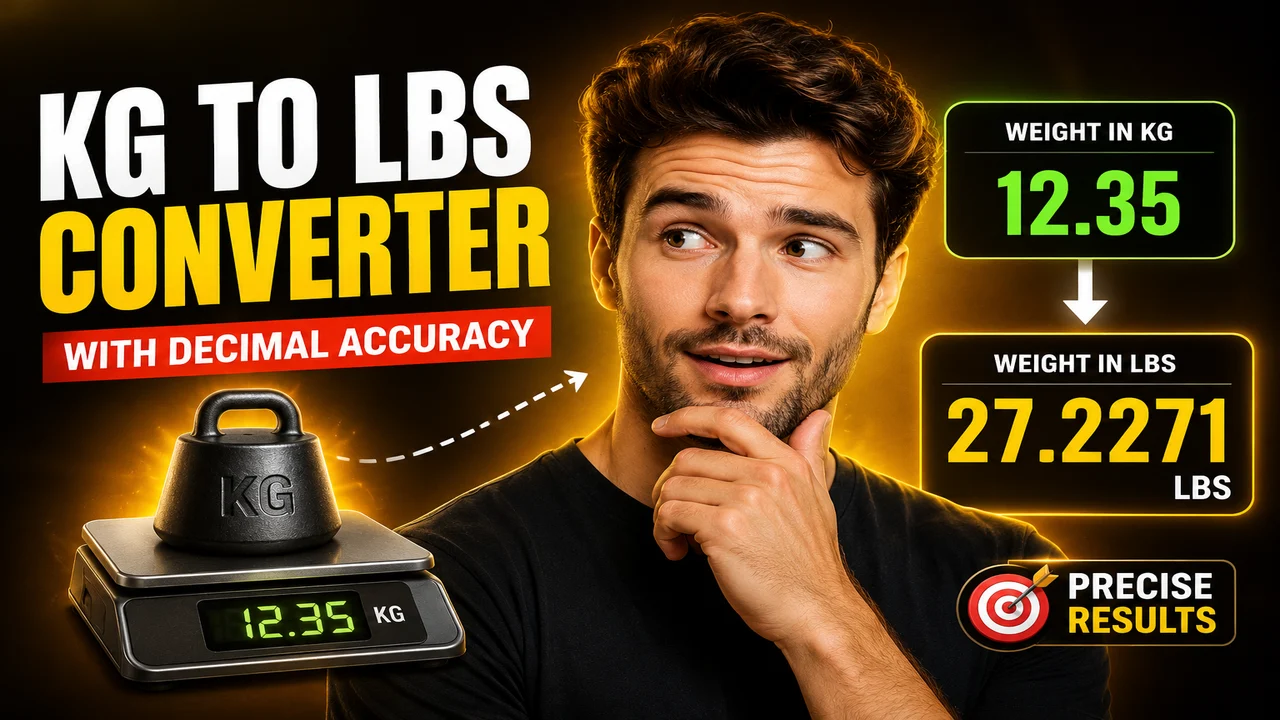
Kg To Lbs Converter With Decimal Accuracy
TL;DR Summary
Kg To Lbs Converter With Decimal Accuracy converts a kilogram (kg) value into pounds (lb) using the standard kilogram-to-pound conversion factor. It is intended for quick unit conversion and does not replace specialized measurement or professional equipment when a certified measurement is required. The supplied tool information does not document a specific privacy or data-storage policy, so avoid entering sensitive information unless the page explains how it is handled.
About This Tool
Kg To Lbs Converter With Decimal Accuracy is a unit conversion tool for converting mass from kilograms to pounds. It is useful when a measurement is given in the metric system but you need the equivalent value in pounds, a unit commonly used in the United States. The tool is designed around a straightforward conversion rather than a complex calculation, so it can be useful for everyday measurements, records, product information, fitness-related measurements, shipping estimates, recipes, and other situations where kilogram and pound values need to be compared.
A kilogram is the metric unit used as the input, while the pound shown as the output refers to the avoirdupois pound commonly used for ordinary weight measurements in the United States. The conversion is based on the relationship between these units. NIST's conversion guidance lists the kilogram-to-pound relationship as approximately 2.20 pounds per kilogram, while its more detailed SI conversion table gives 1 pound as approximately 0.4535924 kilogram. These values support the standard conversion factor used for a decimal-precision kilogram-to-pound converter.
The main input is a numerical kilogram value. Enter the amount of mass you want to convert, including decimal values when needed. For example, a value such as 70 kg can be converted into pounds, as can a more precise value such as 72.5 kg. Decimal input is important when the original measurement is not a whole number or when you want to preserve more detail in the converted result.
The primary output is the equivalent value in pounds. Because the conversion is mathematical, the result can contain decimal places even when the kilogram input is a whole number. The number of decimal places displayed depends on the calculator's configured presentation. A displayed result should be understood as a converted value rather than a new physical measurement.
How to Use
- Step 1: Enter the mass you want to convert in kilograms (kg).
- Step 2: Use a decimal value when the kilogram measurement includes fractional kilograms.
- Step 3: Run the conversion to calculate the equivalent mass in pounds (lb).
- Step 4: Read the pound result and use the displayed decimal precision appropriate for your purpose.
Technical Explanation / Formula
The standard kilogram-to-pound conversion is:
pounds = kilograms × 2.20462262185
In this formula, kilograms is the mass entered by the user in kg, and 2.20462262185 is the conversion factor expressed as pounds per kilogram. The resulting value is expressed in pounds (lb).
For example, if the input is 10 kg:
10 × 2.20462262185 = 22.0462262185 lb
If the result is displayed to two decimal places, that value becomes 22.05 lb. Keeping more decimal places during the calculation and rounding only the displayed result helps avoid unnecessary loss of precision.
NIST provides an approximate metric-to-U.S.-customary conversion of 1 kilogram to about 2.20 pounds for general conversion purposes. NIST's more detailed conversion factors identify the avoirdupois pound as approximately 0.4535924 kilogram. The longer factor above is therefore appropriate when the goal is a decimal conversion rather than a simple approximate mental conversion. The choice of displayed decimal places is a presentation issue and should not be confused with the underlying unit relationship.
Preset Examples / Quick Reference
| Kilograms | Pounds, approximately |
|---|---|
| 1 kg | 2.2046 lb |
| 5 kg | 11.0231 lb |
| 10 kg | 22.0462 lb |
| 50 kg | 110.2311 lb |
| 70 kg | 154.3236 lb |
| 100 kg | 220.4623 lb |
These examples use the standard conversion factor and show several decimal places to make the relationship easier to check. If your use case requires fewer decimal places, round the final result rather than changing the conversion factor itself.
Why Use This Kg To Lbs Converter With Decimal Accuracy & How Our Calculator Beats the Competition
The practical benefit of a dedicated converter is that it keeps the task focused on one unit relationship. You do not need to manually look up a conversion factor or perform multiplication each time. At the same time, different methods can be appropriate for different needs.
| Method | Ease of Use | Calculation Speed | Best For | Limitations |
|---|---|---|---|---|
| Toolhox Calculator | Simple numerical input | Designed for direct conversion | Quick kg-to-lb conversions | Focused on the stated unit conversion |
| Manual Calculation | Requires multiplication | Depends on the user | Occasional conversions | More opportunity for arithmetic or factor-entry errors |
| Spreadsheet | Requires setup | Useful for repeated values | Lists or batches of measurements | Requires a spreadsheet and a correctly configured formula |
| Professional Measurement Software | May require more setup | Depends on the software | Specialized measurement workflows | Usually unnecessary for a basic kg-to-lb conversion |
Assumptions and Limitations
This tool treats the requested conversion as a standard kilogram-to-avoirdupois-pound conversion. It does not determine whether the original kilogram measurement is accurate. If the input came from a scale, laboratory instrument, shipping measurement, medical measurement, or other device, any error or uncertainty in that source measurement remains present after conversion.
The conversion also does not determine the appropriate unit for a specialized context. For example, an avoirdupois pound should not automatically be substituted for a troy pound when working with precious metals, because those are different units. This converter is intended for the ordinary pound used for common mass and weight measurements.
Users should also consider the required precision for their task. A result such as 154.3236 lb contains more displayed detail than a result rounded to 154.3 lb, but additional decimal places do not create additional accuracy in the original measurement. For ordinary everyday use, a rounded result may be sufficient. For regulated, laboratory, commercial, engineering, or other high-precision work, use the measurement standards and procedures required for that specific application.
The tool is a converter, not a weighing instrument. It cannot verify a physical object's mass, correct an inaccurate scale, or establish measurement uncertainty. It simply applies the unit relationship to the numerical value provided. The supplied tool information also does not establish a specific data-retention, upload, or server-processing policy. Users should therefore avoid entering sensitive information unless the page clearly states how entered data is handled.
For a simple conversion, the main thing to check is that the input is actually expressed in kilograms and that the intended output is an ordinary pound value. Once those units are confirmed, the conversion is a direct multiplication. NIST's published conversion resources provide the underlying metric-to-U.S.-customary relationship and distinguish approximate conversion tables from more detailed conversion factors. :contentReference[oaicite:0]{index=0}
